
Announcement Comments on Site Provision
Overview
When a preview site is first created, Harbor can post site information (URL, credentials, and related details) as a comment on the associated pull or merge request. This keeps reviewers and QA in the loop without leaving the Git provider.
To enable comments, set GIT_COMMENT_ENABLED=true and provide GIT_TOKEN plus GIT_ISSUE_NUMBER (the PR or MR number Harbor should comment on). Harbor resolves the Git API from FORGE_GIT_API_PROVIDER or, if unset, FORGE_GIT_PROVIDER. Supported API providers are github, gitlab, and gitlab-custom.
If no token is configured or the provider is unsupported (for example custom with a self-hosted URL and no FORGE_GIT_API_PROVIDER), Harbor logs a warning and skips the comment — provisioning still completes.
GitHub pull requests
Harbor posts to POST /repos/{repo}/issues/{number}/comments using the GitHub REST API.
Workflow configuration
Add these environment variables to your provision workflow (for example provision.yml):
FORGE_GIT_PROVIDER: github
GIT_COMMENT_ENABLED: true
GIT_TOKEN: ${{ github.token }}
GIT_ISSUE_NUMBER: ${{ github.event.number }}
github.token is sufficient for commenting on the workflow's own pull request. For cross-repo or elevated permissions, use a personal access token or GitHub App token stored in secrets instead.
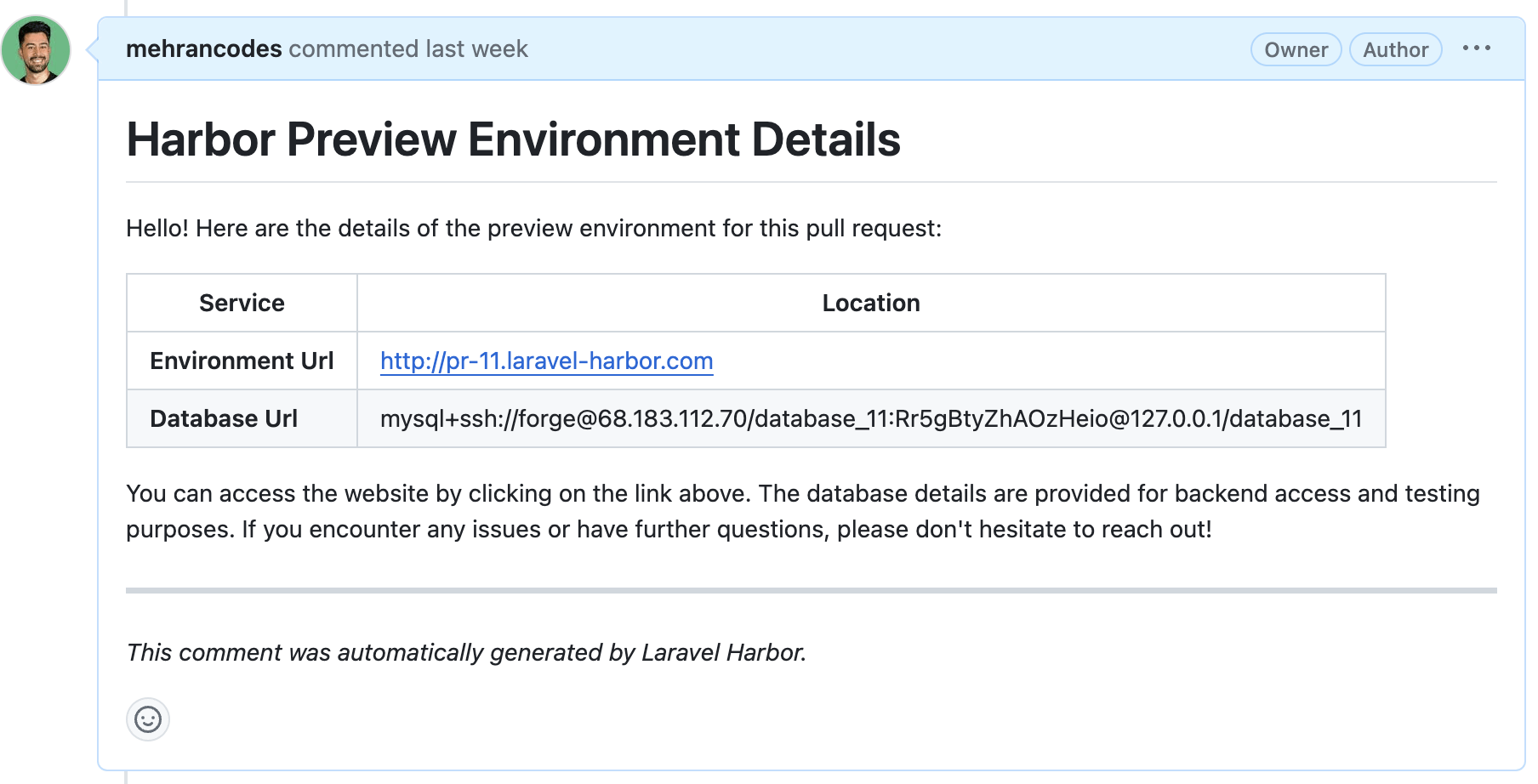
GitLab merge requests
Harbor posts to POST /projects/{repo}/merge_requests/{iid}/notes using the GitLab REST API. Use the merge request iid (the project-scoped number shown in the MR URL), not the global merge request id.
Workflow configuration
Create a GitLab personal access token with api scope and store it as a workflow secret (for example GITLAB_TOKEN). Then configure your provision workflow:
FORGE_GIT_PROVIDER: gitlab
GIT_COMMENT_ENABLED: true
GIT_TOKEN: ${{ secrets.GITLAB_TOKEN }}
GIT_ISSUE_NUMBER: ${{ env.CI_MERGE_REQUEST_IID }}
For self-hosted GitLab where Forge clones via custom, point Harbor at the GitLab API explicitly:
FORGE_GIT_PROVIDER: custom
FORGE_GIT_REPOSITORY_URL: [email protected]:my-group/my-project.git
FORGE_GIT_API_PROVIDER: gitlab
GIT_API_URL: https://gitlab.example.com/api/v4
GIT_COMMENT_ENABLED: true
GIT_TOKEN: ${{ secrets.GITLAB_TOKEN }}
GIT_ISSUE_NUMBER: ${{ env.CI_MERGE_REQUEST_IID }}
On GitHub Actions, replace CI_MERGE_REQUEST_IID with the MR iid from your pipeline (for example a workflow input or a prior job output). The value must be the MR iid, not the global id.
Shared notes
- First create only — Announcement comments are sent only when the site is first created. Subsequent pushes to the same pull or merge request do not trigger another comment.
- Supported API providers — Comments require a supported Git API provider:
github,gitlab, orgitlab-custom. WithFORGE_GIT_PROVIDER=custom, Harbor infers the API from agithub.com/gitlab.comrepository URL; setFORGE_GIT_API_PROVIDERfor self-hosted hosts. - Self-hosted GitLab — When using
customwith GitLab APIs, setFORGE_GIT_API_PROVIDER=gitlab(orgitlab-customwhen appropriate) andGIT_API_URLto your instance base API URL (include/api/v4for GitLab). - Manual / unsupported providers — If Harbor cannot reach a supported Git API (no token, or provider not supported), it warns and skips the comment without failing provision.
See also Git Providers for provider setup and Configuration for all related environment keys.